Settings
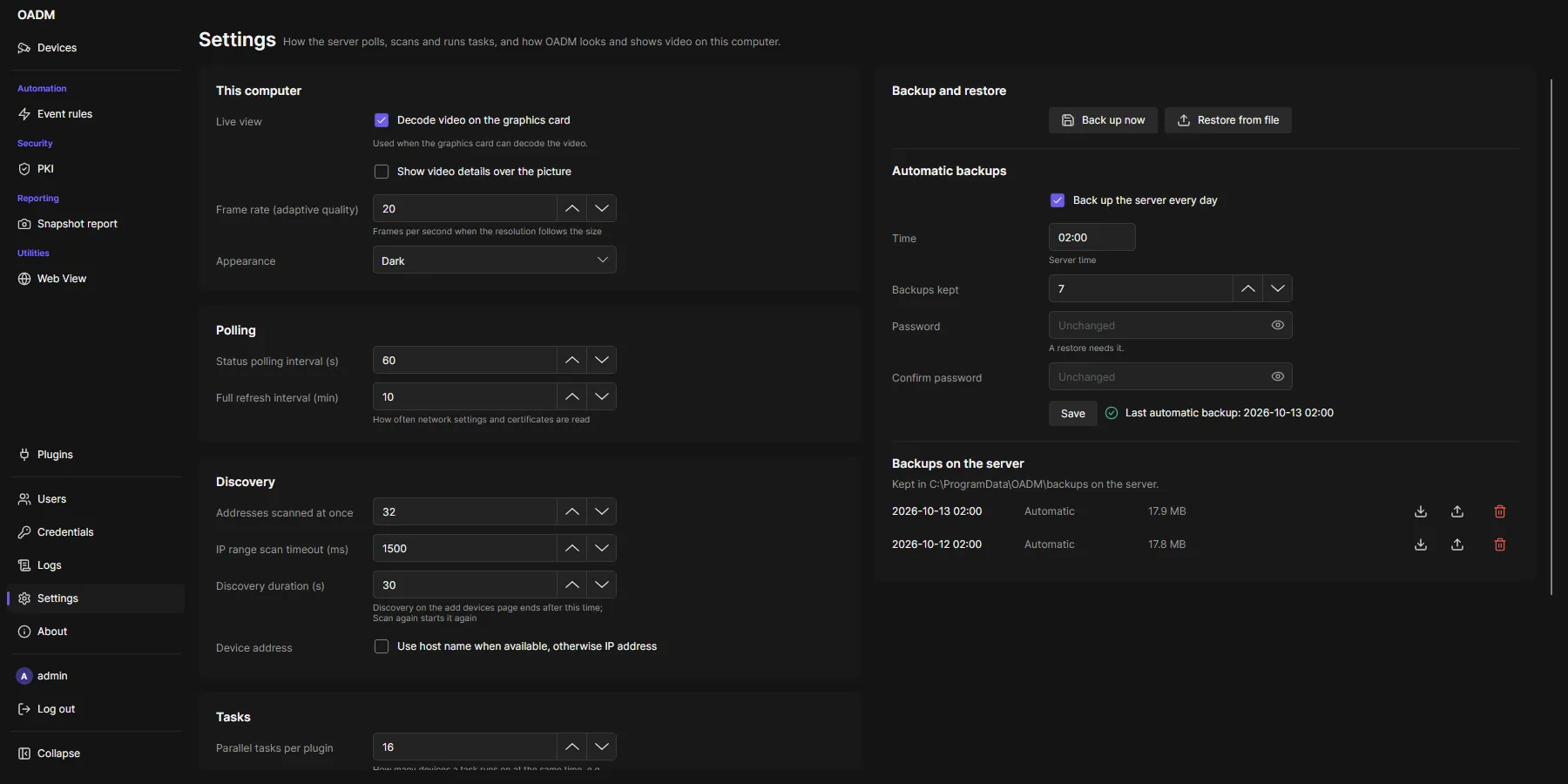
This computer
Section titled “This computer”The first card is for the computer you sit at. Every user can change it, and it is saved at once.
| Setting | Default | What it does |
|---|---|---|
| Decode video on the graphics card | On | Live video is decoded by the graphics card when it can; the hint below says what the test found. An orange icon over the video says what to do when the processor decodes instead. |
| Show video details over the picture | Off | A card at the top right of the live video with codec, resolution, frame rate, bit rate and decoding. |
| Frame rate (adaptive quality) | 20 | Frames per second when the resolution follows the size of the picture (1 to 30). |
| Appearance | Dark | Dark or Light. Takes effect after the client restarts. |
Server
Section titled “Server”Administrators change the server settings; operators see them. They apply to every client of the server. The settings stand in four cards: Polling, Discovery, Tasks and Server. Save below the four cards saves all of them; Reload reads them again.
| Setting | Default | What it does |
|---|---|---|
| Status polling interval (s) | 60 | How often OADM checks that every device answers. |
| Full refresh interval (min) | 10 | How often OADM reads network settings and certificates of every device. |
| Addresses scanned at once | 32 | Speed of Network range. |
| IP range scan timeout (ms) | 1500 | How long Network range waits for each address. |
| Discovery duration (s) | 30 | How long Discovery on the add page searches (5 to 300). |
| Parallel tasks per plugin | 16 | How many devices a task runs on at the same time, for example restarts or firmware updates. Takes effect at once. |
| Server name | Computer name | Shown in the login window. |
| Listen URL | https://0.0.0.0:5080 |
Address and port of the server. Takes effect after the server restarts. |
Backup and restore
Section titled “Backup and restore”Administrators back up the whole server and restore it, also on a new computer. A backup holds the devices with their logins, users and roles, tags, event rules, settings, the credential list, the task history and the plugins’ data (for example the PKI’s certificate authority). It is one file, encrypted with a password you choose. Without the password nobody can read it, OADM included.
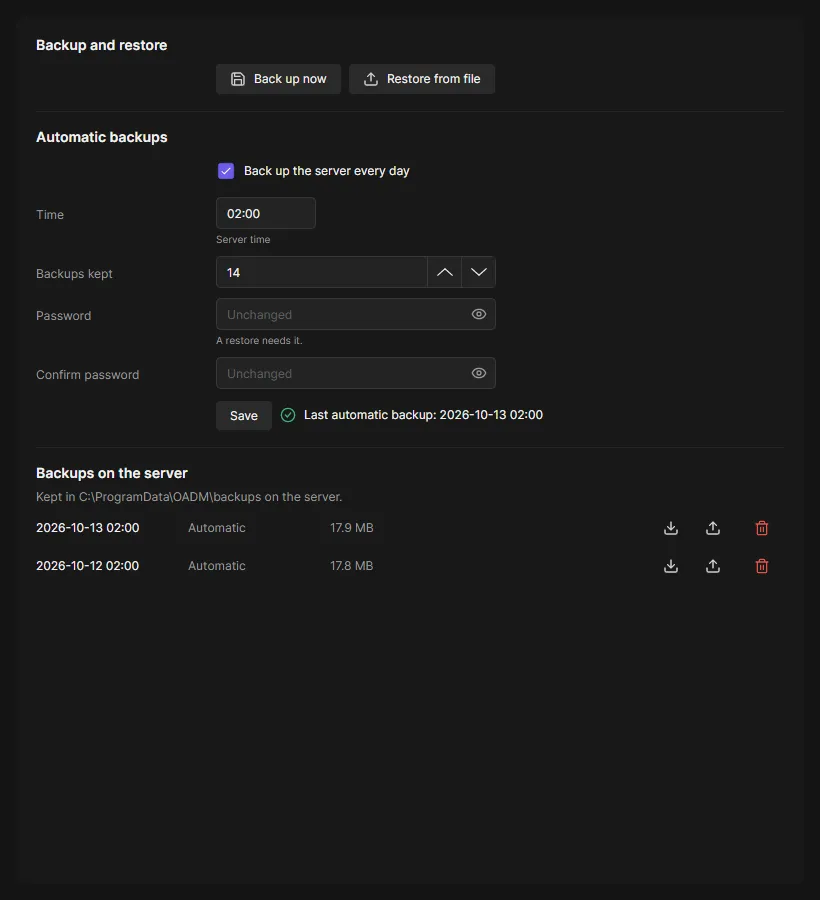
- Back up now: enter a password, choose where to save the file.
- Automatic backups: every day at the time you choose (server time), the newest ones kept on the server (Backups kept, 7 by default). They use the password you enter here; a restore needs it. The list below shows them, with Download, Restore and Delete.
- Restore from file or Restore in the list: enter the password and click Check. OADM reads the whole backup and shows what it holds; nothing changes yet. Restore asks once more.
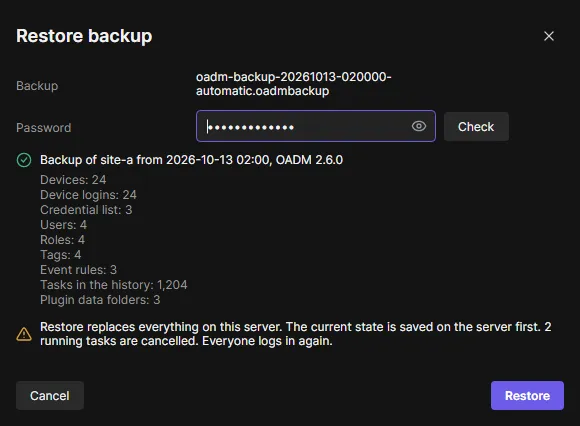
A restore replaces everything on the server. Before it starts, OADM saves the current state as a backup on the server (Before a restore in the list), cancels running tasks and restarts the server. Everyone logs in again. Afterwards the card shows what was restored.
A backup of an older OADM is upgraded when it is restored. A backup of a newer OADM is refused: update OADM first.
On this computer
Section titled “On this computer”Each client also keeps its own settings on the computer: the servers you used, the device list columns, group by tag, the size of the tasks pane, the This computer card above, and whether the add page uses DNS names.