I/O Monitor
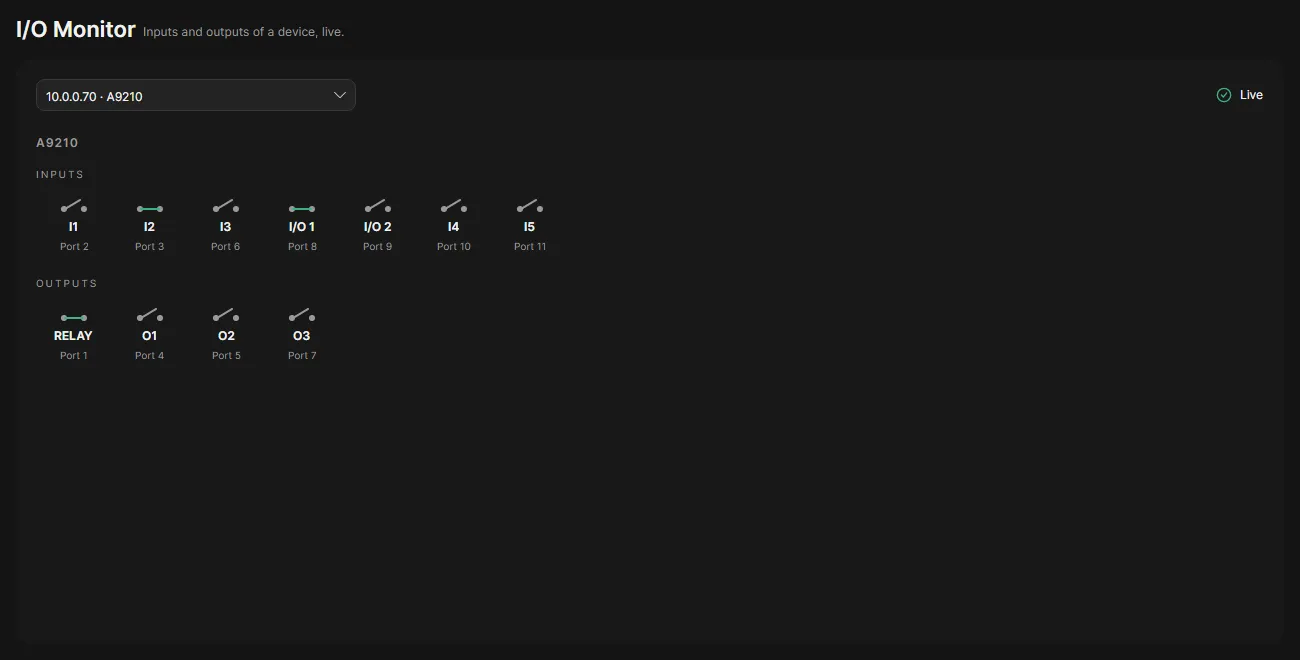
The I/O Monitor shows the inputs and outputs of one device and updates them several times a second. Use it to check wiring: close a door contact or switch a relay and watch its contact close.
Use it
Section titled “Use it”- Open I/O Monitor in the navigation rail.
- Choose a device. The list shows every device with inputs or outputs.
- The device is drawn as a row of inputs and a row of outputs. Each port shows its contact, drawn open or closed; green means Active. Point at a port to see its normal state.
The port number under each contact is the number to use in the Set output action of event rules.
Good to know
Section titled “Good to know”- OADM reads the device only while the page shows it. Choosing another device or leaving the page stops it.
- If the connection to the server drops or the server restarts, the page starts reading again on its own.
- The I/O Monitor only reads. It never switches an output.
- Devices that need a login, have no password yet or have a changed certificate show the reason instead.