Users and roles
Everyone logs in to the server with their own user. Every user has one role, and the role decides what the user may do.
| Role | What it may do |
|---|---|
| Administrator | Everything, also what plugins add later. Cannot be changed. |
| Operator | Works with devices and tasks. Changeable; Reset to default brings back the defaults. |
| Viewer | Sees the devices, live preview and the monitoring pages. Changes nothing. Changeable. |
| Your own roles | What you tick in the matrix. Start empty or as a copy of another role. |
Users, roles, the credential list, server settings, turning plugins on or off and the audit log are for administrators only. No other role can get them.
Users page
Section titled “Users page”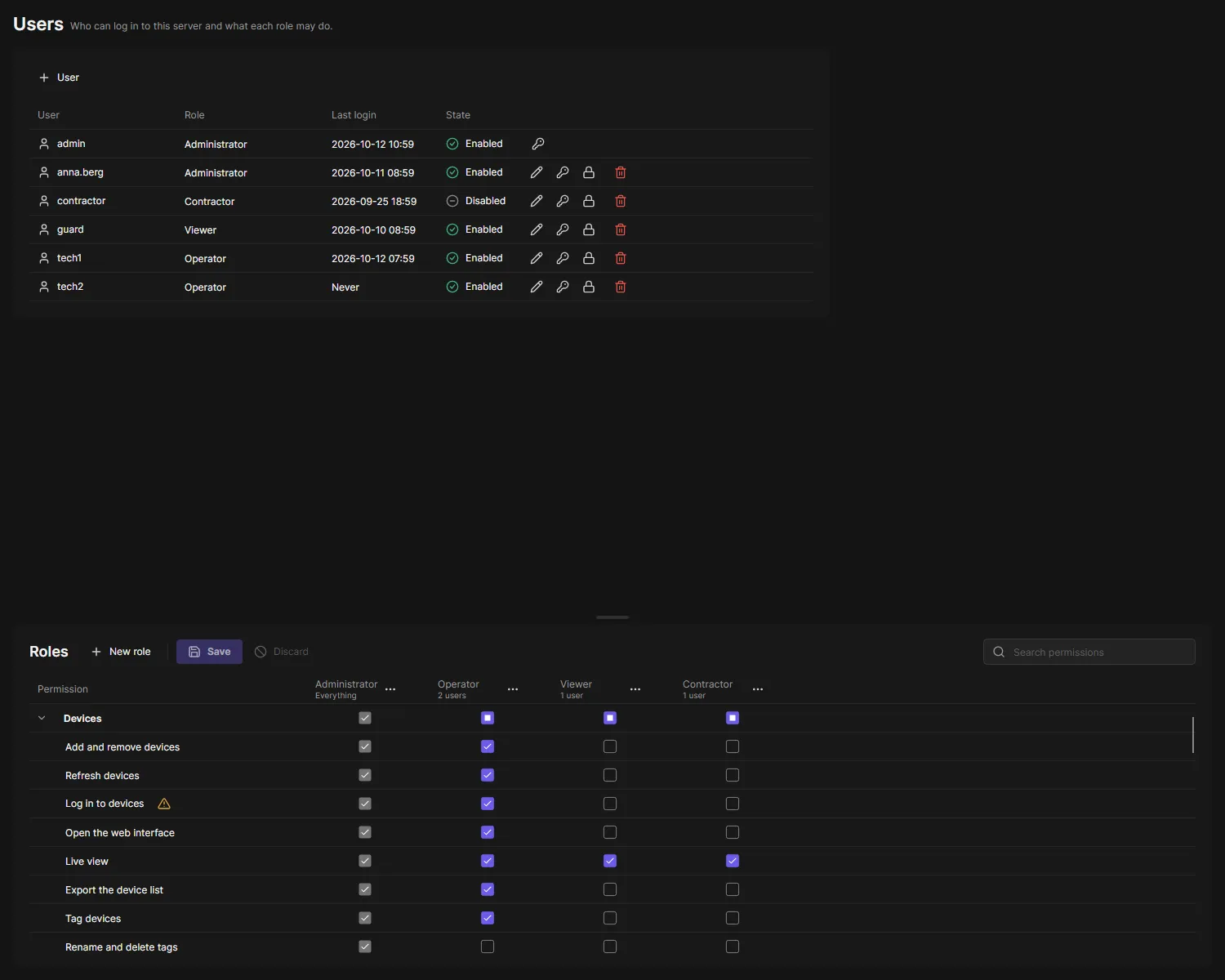
+ User adds a user. The buttons of a row edit the user’s role, change the password, disable or delete the user. You cannot change your own role or delete yourself, and the last administrator stays. A new role applies to the user’s next action, without logging in again.
Five wrong passwords in five minutes lock a user for five minutes.
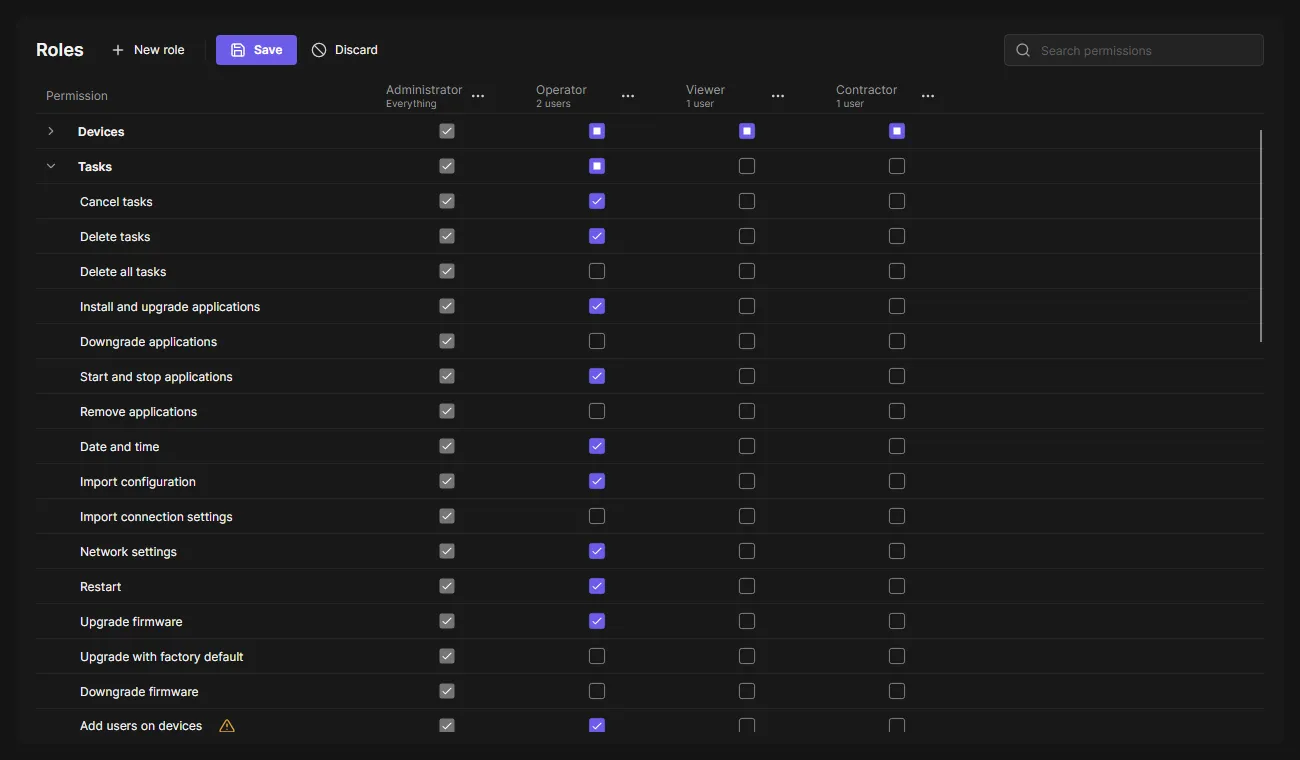
Below the users, every permission is a row and every role a column. The permissions are grouped like the client: Devices, Tasks, Event rules, then one group per plugin. A check box in a group row gives or takes the whole group. Point at a permission to see what it allows. A warning icon marks permissions that act on the devices with their stored login, such as removing users on devices or opening the web interface in Web View: whoever has them can change anything on the device.
Live preview and Live View need Live view. Optics Control adds zoom, focus, PTZ and the RTSP port of a camera. Change views (Live View plugin) creates, changes and deletes the saved views; Viewers open views but do not have it. Export recordings (Edge Recording Export) downloads the recordings of cameras; Viewers only search them.
- New role asks for a name and whether to start empty or from another role.
- The menu of a role column renames, copies, resets (Operator, Viewer) or deletes it. A role users have cannot be deleted.
- Save saves every change at once, after a confirmation that lists what changes per role. Discard goes back.
Some tasks have more than one permission, so a role can do the everyday part only: Upgrade firmware (upgrade, with factory default, downgrade), Users on devices (add, change, remove), Applications (ACAP) (install, downgrade, start and stop, remove, license keys), Import configuration (settings, connection settings) and Configure devices (settings, dangerous parameters). The dialogs show only what the role may do.
A plugin installed later brings its permissions: Operator and Viewer get the plugin’s defaults, your own roles get nothing until you tick it.
Your role
Section titled “Your role”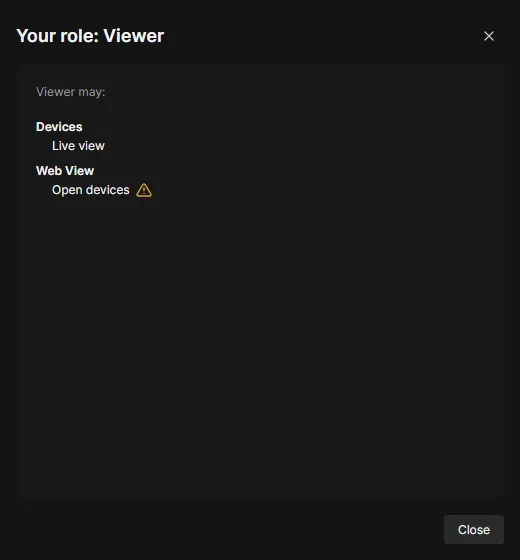
Click your name at the bottom of the navigation rail to see your role and what it allows.
After the update to roles
Section titled “After the update to roles”Existing administrators become Administrator, everyone else Operator. The Operator role no longer has the risky parts: Web View, removing users on devices, firmware downgrades and factory defaults, downgrading and removing applications, and importing connection settings. Administrators see this once as a notice with Check roles; tick what your operators need.
Credentials page
Section titled “Credentials page”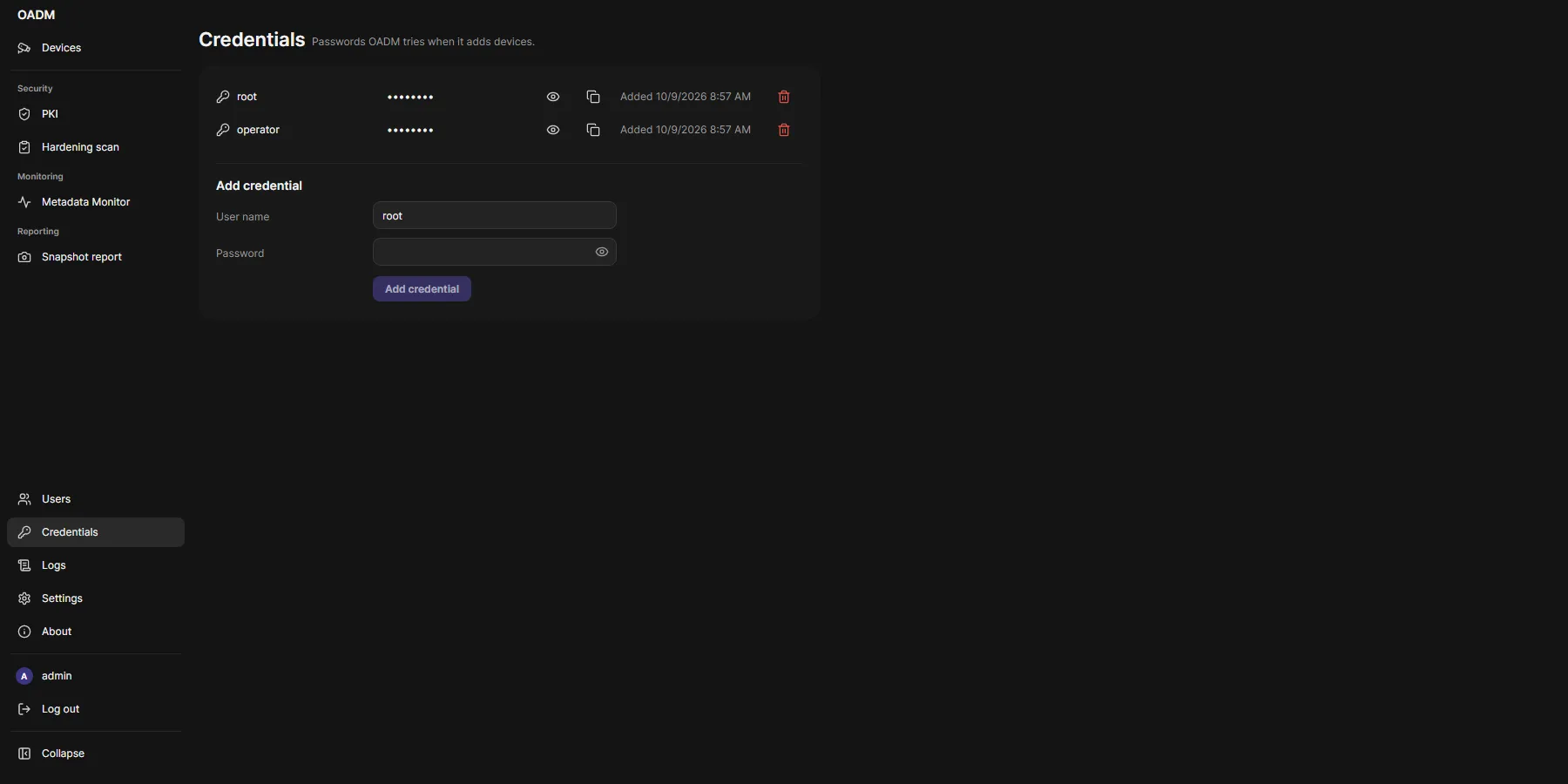
The passwords OADM tries when it adds devices, in the order added, at most 20. Administrators can show or copy a stored password; every reveal is in the audit log.
Audit log
Section titled “Audit log”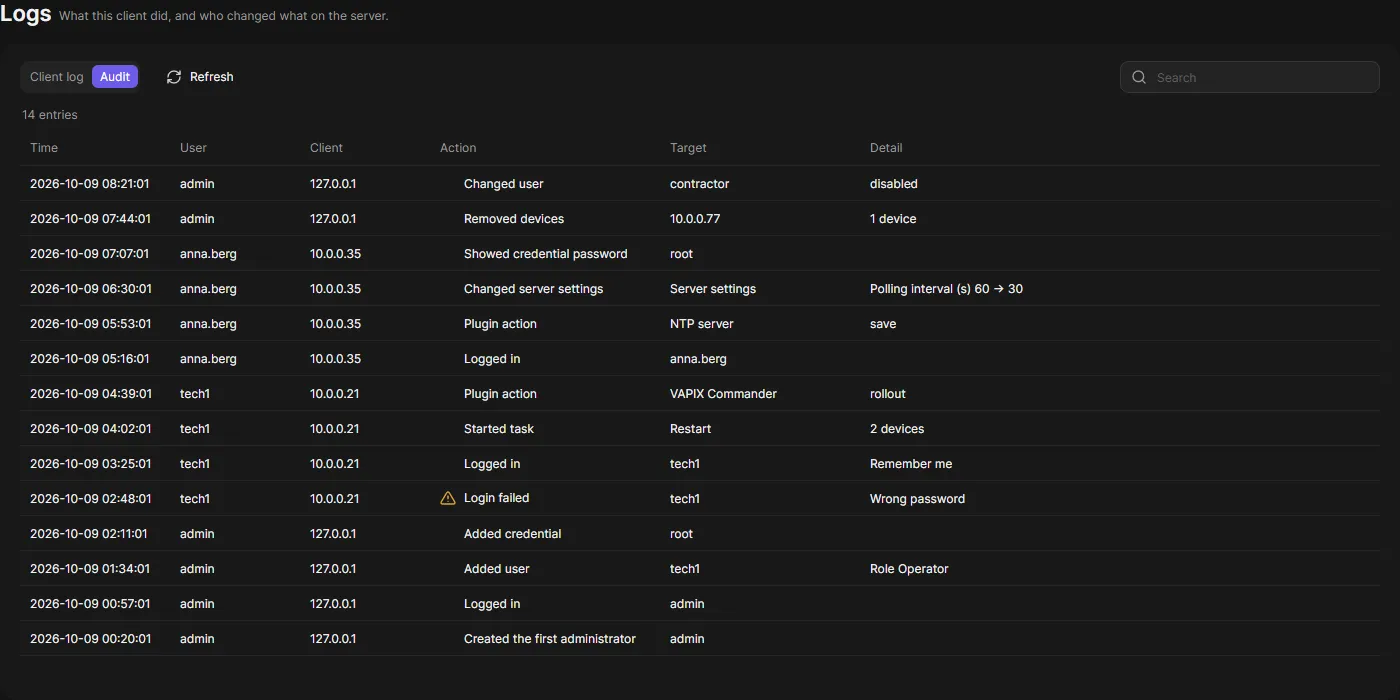
Logs > Audit (administrators) lists who did what: logins, user, role and settings changes, credential reveals, task runs, removed devices, PKI and server changes. Entries are kept 365 days.