OADM and AXIS Device Manager
OADM is for installers who know AXIS Device Manager (ADM). The daily work is the same: find devices, log in, then change many devices at once. OADM runs on Windows, Linux and macOS, is open source and adds more tools.
OADM is an independent project. It is not made, sponsored or endorsed by Axis Communications.
The same work as in ADM
Section titled “The same work as in ADM”| What you do | In OADM |
|---|---|
| Find devices on the network, in an IP range, by address or from a file | Add devices |
| Log in with the passwords you already have, set the first password | Add devices |
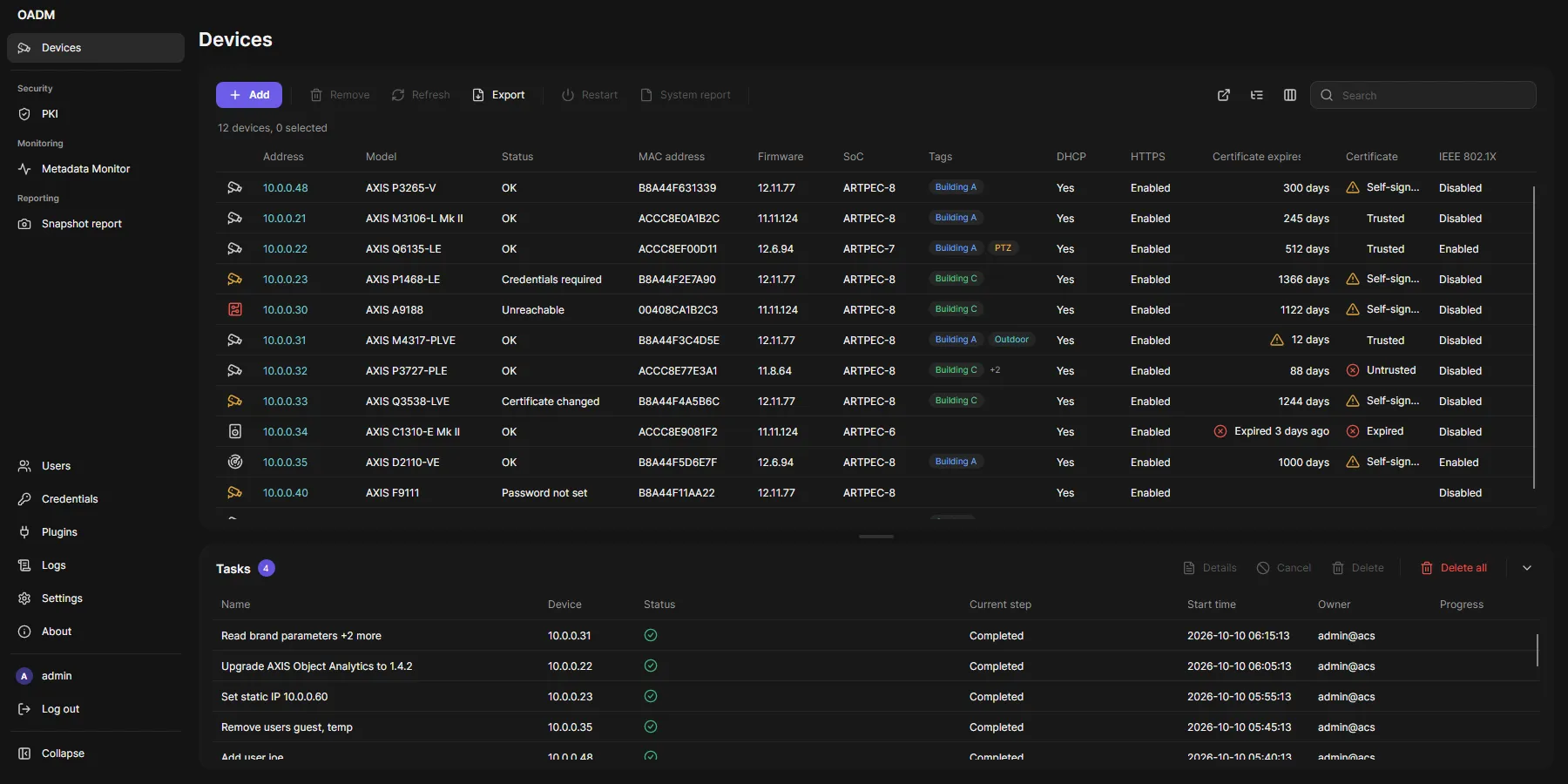
| Device list with model, firmware, status, certificate and network columns | Devices page |
| Upgrade firmware | Upgrade firmware |
| Users on the devices | Users |
| Date and time | Date and time |
| Network settings, assign IP addresses | Network settings |
| Install and license applications (ACAP) | Applications |
| HTTPS, certificates, IEEE 802.1X | Certificates |
Configure devices from another device or an ADM .cfg file |
Device configuration |
| System report for Axis support | System report |
More in OADM
Section titled “More in OADM”- Windows, Linux and macOS: server and client on any of them, in any mix.
- Free and open source: Apache-2.0, also for commercial use.
- Live video in the device list, with PTZ, zoom and focus: Live preview. Saved views of several cameras: Live View.
- Event rules: when a device event happens, set an output, send an email or an HTTP request: Event rules.
- NTP server and DHCP server built in: NTP server, DHCP server.
- Own certificate authority for device certificates: PKI.
- VAPIX Commander: send VAPIX commands to many devices: VAPIX Commander.
- Hardening scan against the AXIS OS hardening guide: Hardening scan.
- Snapshot report as a PDF for the yearly maintenance: Snapshot report.
- SD cards and recordings: Edge storage, Edge Recording Export.
- Monitoring: Metadata Monitor, I/O Monitor, Image Health Dashboard.
- Web View: the web interface of the devices in tabs, logged in: Web View.
- Tags to group devices: Tags.
- Users and roles with an audit log: Users and roles.
- Plugins: add your own tools: Plugin guide.
Not in OADM yet
Section titled “Not in OADM yet”- Several servers in one client: a client works with one server at a time.
- New firmware from Axis: OADM does not look up new AXIS OS versions online. Download the firmware file and choose it in Upgrade firmware.
- Warranty information: OADM does not read warranty dates from Axis.
Moving from ADM
Section titled “Moving from ADM”- Install OADM next to ADM; both can manage the same devices.
- Add the devices again with Discovery, a network range or Import from file (a list of addresses).
- Keep your ADM configuration files: Configure devices reads
.cfgfiles.