Dashboards
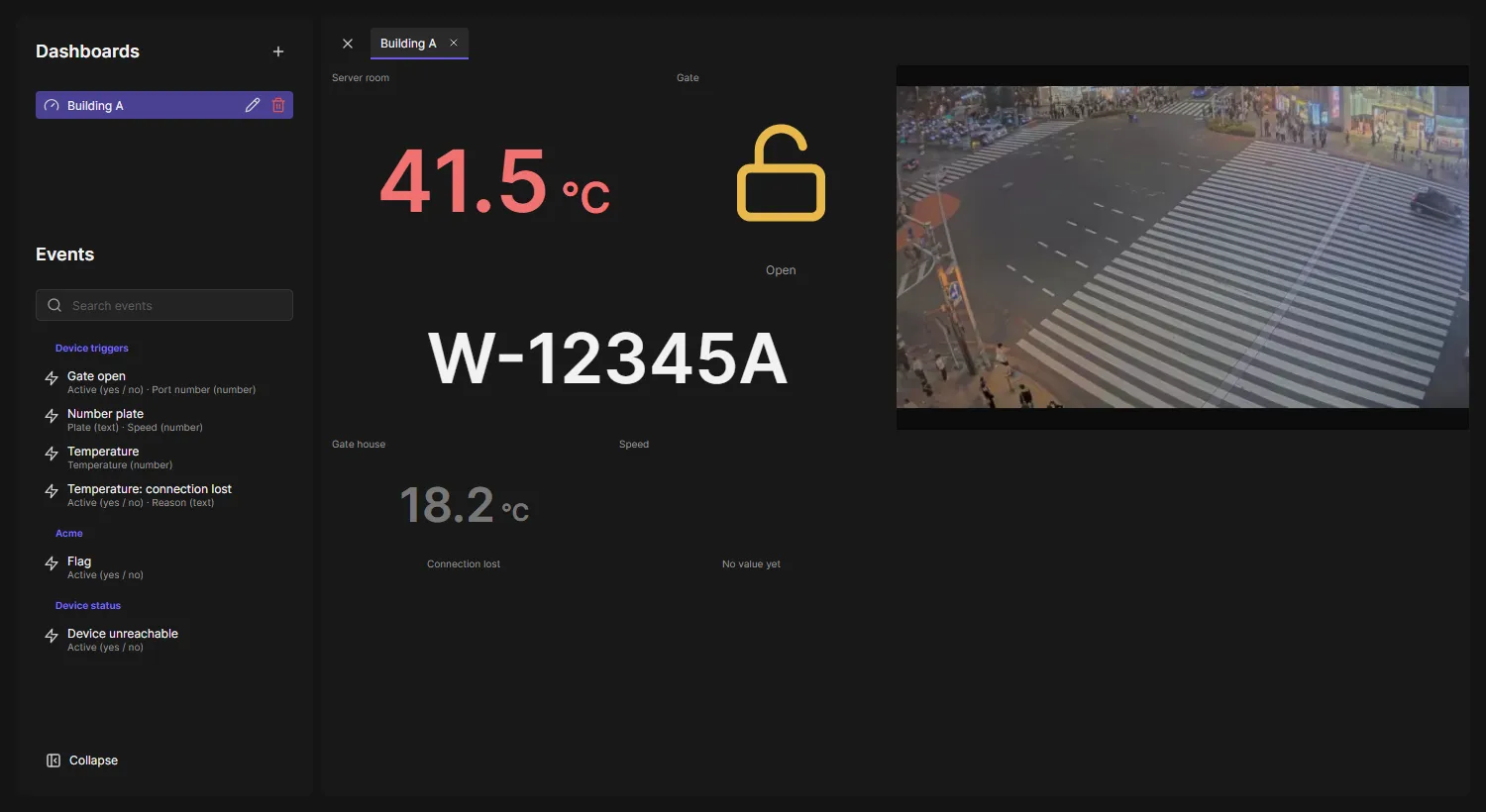
Dashboards show live values of your devices: a temperature, a count, the last number plate, a gate that is open or closed. A dashboard is a grid of widgets, each showing one value of one device, next to live video if you want it. The values come from Device triggers and from OADM’s own events, such as Device unreachable.
Open a dashboard
Section titled “Open a dashboard”- Dashboards is off when OADM is installed: an administrator turns it on under Plugins. Turn on Device triggers too and create a trigger for the event whose values you want to see.
- Open Dashboards in the navigation rail.
- Click a dashboard under Dashboards. It opens in a tab; open more and switch between the tabs.
A value that may be old is dimmed, with the reason below it: Connection lost, Unreachable. Point at a value to see when it arrived.
Create or change a dashboard
Section titled “Create or change a dashboard”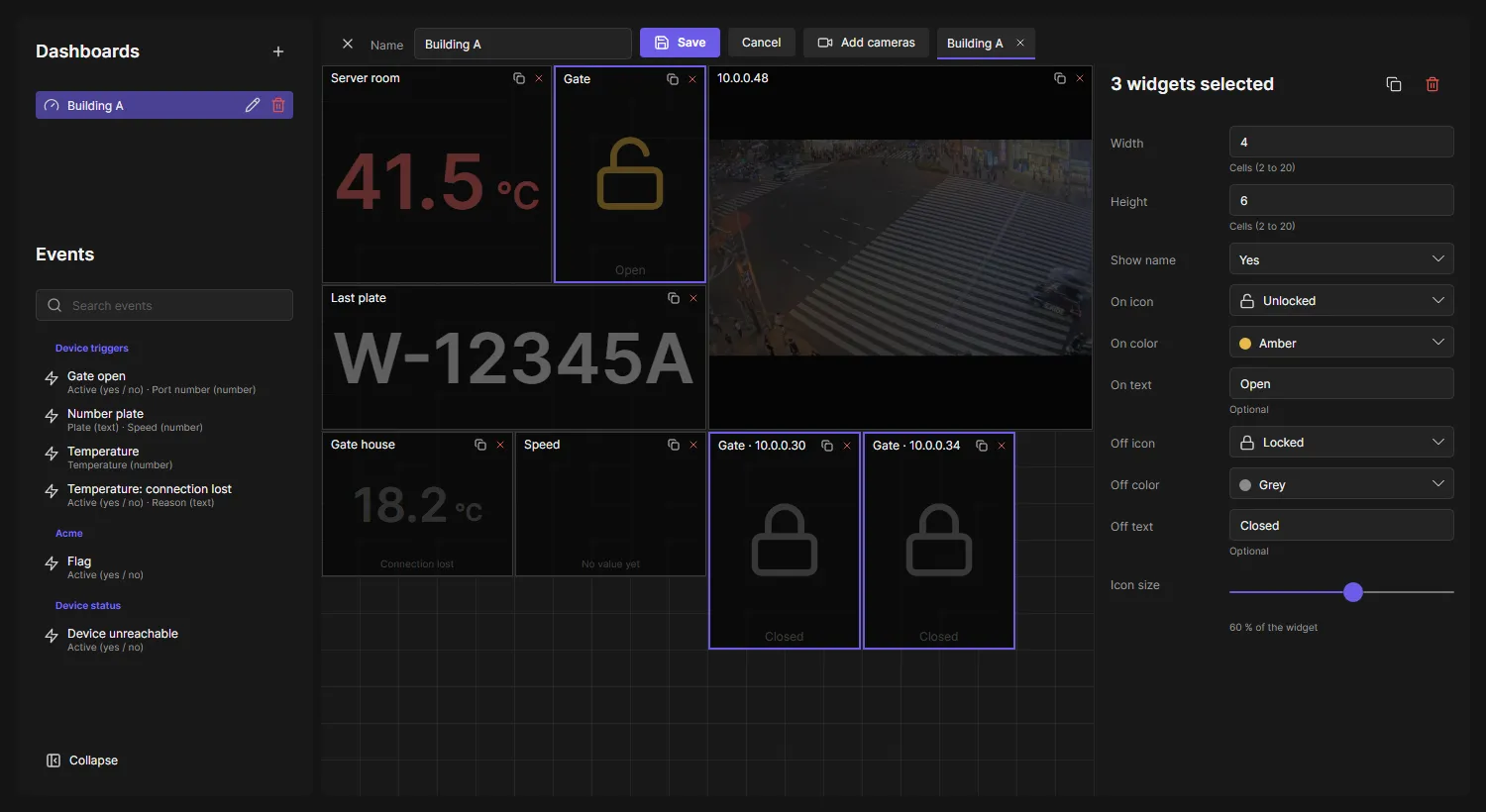
-
Click the + next to Dashboards, or the pen next to a dashboard. The bin next to it deletes the dashboard.
-
Drag an event from Events onto the grid, or click it. Events lists each event with its values and their type.
-
On the right, choose the Device (only the devices of the trigger are offered), the Value and the Widget:
-
On / Off: an icon, a color and an optional text for each state.
-
Text: the value as the device sends it.
-
Number: decimal places, a unit, and thresholds that color the number from a value on (for example 25 orange, 28 red).
-
Gauge: the number on an arc from Min to Max, with the same settings as Number, and a Line width for the arc. The thresholds color the arc from their value up to the next one; a marker moves to each new value and stops at the end when the value is outside. The ticks follow Min and Max by themselves. Switching between Number and Gauge keeps the settings.

A new threshold takes a color no other threshold of the widget uses yet. Type reads a value as a number, as yes / no or as text when the automatic choice does not fit. Set Show name to No to give the value the whole widget. The copy icon next to a widget’s X makes the same widget for each device you choose, for example input 1 on 20 I/O modules: each copy gets its device and its address in the name, in the next free place.
-
-
Add cameras chooses one or several cameras for live video (up to 16 per dashboard); they share the free space. Choose a camera’s channel with the buttons on the picture.
-
Drag a widget to move it, drag one of its edges or corners to resize it, and click its X to remove it. Click a widget to change its settings. Sizes of icons and text are a share of the widget, so they grow with it.
-
To change several widgets at once, drag over empty cells to select every widget the frame touches, Ctrl+click to add or remove one, or press Ctrl+A for all. Drag one of them to move them together, or drag its edge or corner to resize them all; widgets side by side make room for each other. The settings show what they share: change Width and Height, the icons, colors, texts, sizes or unit for all of them; a setting where they differ shows Mixed until you change it. The icons at the top copy or remove them all.
-
Enter a name and click Save. Cancel throws your changes away.
A dashboard holds up to 50 widgets, of them up to 16 live videos.
Any device
Section titled “Any device”The group Any device has an event for each device status: Any device: unreachable, credentials required, certificate changed, certificate expires soon and certificate expired. Each is on while at least one device has that status and counts how many. They need no device: an On / Off widget shows whether anything needs attention, a Number widget how many devices. Event rules can use them too.
Good to know
Section titled “Good to know”- Dashboards are stored on the OADM server and shared by every user. When someone else saves a dashboard you have open, your tab follows.
- Who may create, change and delete dashboards is the right Change dashboards on the Users page. Viewers only open dashboards. Seeing video needs Live view.
- OADM keeps the values in memory only. After a server restart, on / off values come back at once; other values show No value yet until the device sends the event again.
- A device that was removed from OADM keeps its widget and says so.